
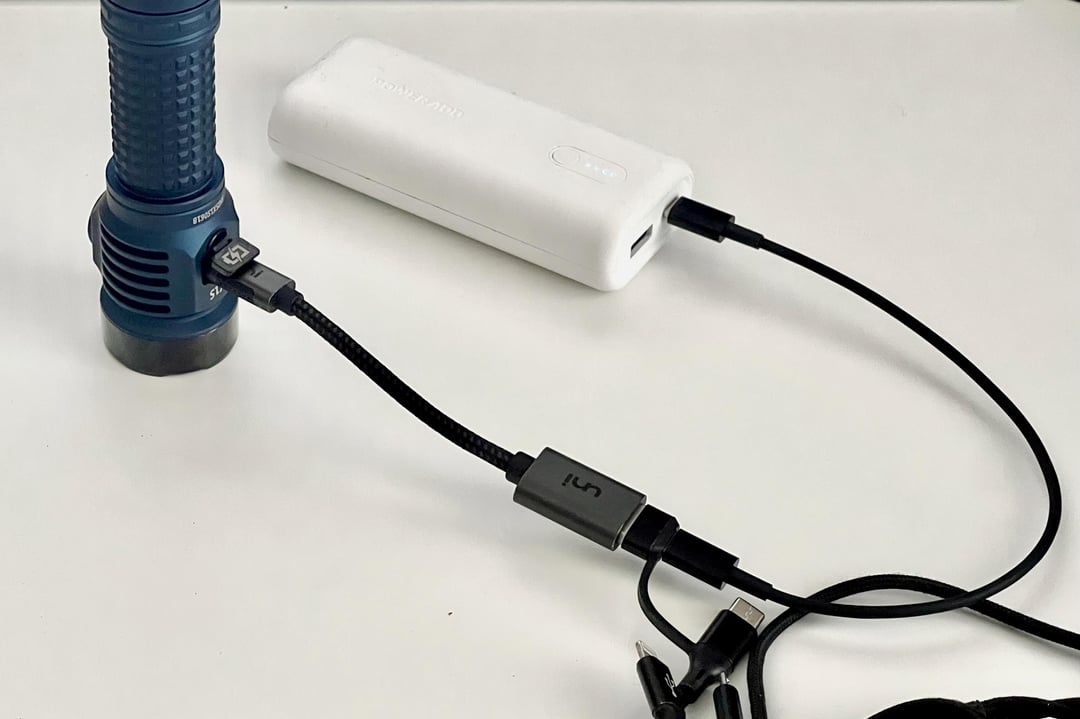
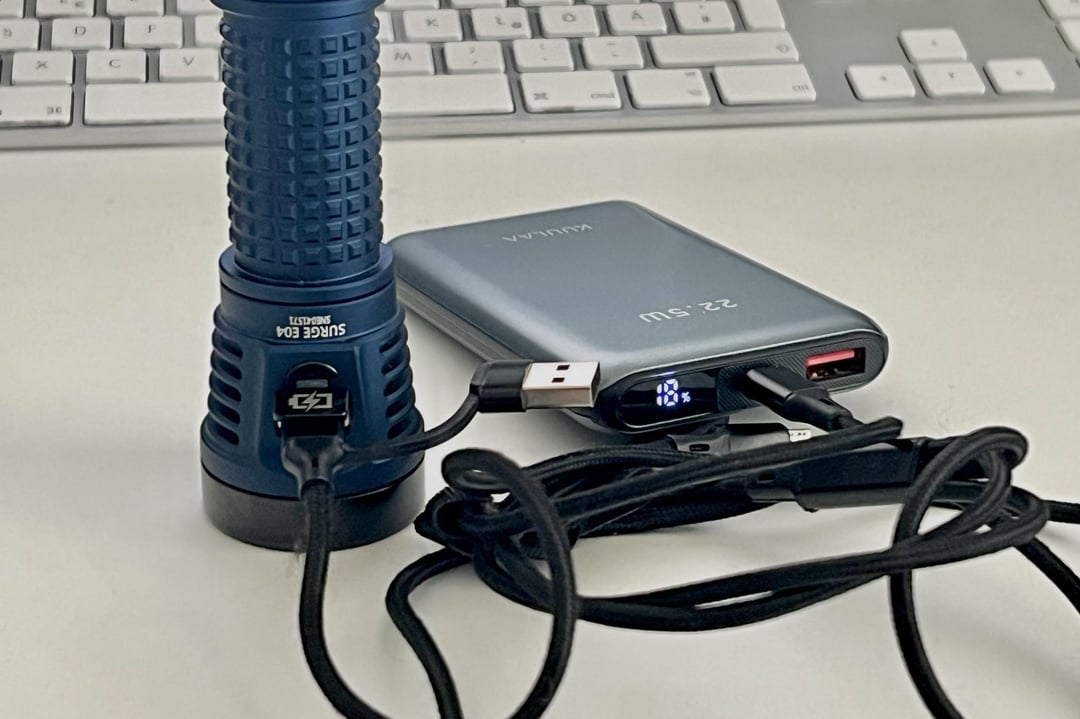
TL;DR
Fireflies lights appear to implement only basic USB-C 5V source behavior for reverse charging and not full USB Power Delivery or robust dual-role negotiation. As a result, direct USB-C to USB-C connections may fail when both devices wait for the other to become the power source.
Using USB-C → USB-A adapters or certain 3-in-1 cables can force a clear source/sink role, which often makes reverse charging work. For those cables, plug orientation matters.
Case
I did some testing with reverse charging (using the lamp as a power bank) and noticed something that may help others.
This applies to the following models (maybe more):
- Fireflies X4 Stellar
- Fireflies X1S Pharos
- Fireflies E04X
To activate the power bank function, the lamp must be in Momentary Mode (5 clicks from off).
What I observed
Direct USB-C to USB-C connections often don’t trigger reverse charging, even when using high-quality cables and modern power banks.
However, reverse charging works reliably when:
- Using a USB-C → USB-A OTG adapter in between
- Using certain 3-in-1 charging cables (sometimes depending on plug orientation)
When charging iPhones, I also noticed:
- Some 3-in-1 cables work directly via their built-in Lightning connector
- In other cases, charging only works when using the cable’s USB-C output and then adding a separate USB-C → Lightning adapter
What’s likely happening
These lights appear to implement basic USB-C 5V source behavior, but not full dual-role or robust USB Power Delivery negotiation. When connected directly via USB-C to another smart USB-C device (like a power bank), both sides may wait for the other to take the source role.
Adding a USB-A adapter or certain 3-in-1 cables forces a clear source/sink relationship and bypasses the more complex USB-C role negotiation. This makes the light reliably act as a power source.
If reverse charging isn’t working for you:
- Make sure the light is in Momentary Mode (5 clicks)
- Try inserting a USB-C → USB-A adapter
- Or test a simple 3-in-1 charging cable
- With most cables, plug orientation matters
It’s not necessarily a cable quality issue — sometimes simpler signaling works better in this case.
Hope this helps someone troubleshooting reverse charging.
by woodpatz
1 Comment
I don’t know which port controller they use, but USB-C dual role ports can advertise themselves in a bunch of ways:
* Sink only (this device only supports being charged, no reverse power capability – an OTG cable for example, or a QI charging puck)
* Prefer sink (can reverse power, but prefers being charged, such as a cellphone)
* Neutral (forgot how it was called in spec)
* Prefer source (can be charged and reverse power, prefers being a charger over being charged, for example a powerbank)
* Source only (only supports being a charger, for example a wall charging brick).
It sounds as if the light is in Prefer Sink mode, while IMO a powerbank flashlight should be “neutral” or prefer source.
> With most cables, plug orientation matters
This however is weird, and points at deeper design issues/chip issues. Maybe a partial implementation (only 1 CC pin used, and polled by the MCU itself as opposed to a standalone charging controller maybe?)